Slides from a talk at the Common Solutions Group (CSG) meeting at UC Berkeley, January 2015.

Title slide: Moving to Continuous, DEVOPS @ UC Berkeley, William Allison, Director, Architecture Platforms & Integration, CSG 01-14-2015, wallison@berkeley.edu. Sather Tower at sunset in the background.

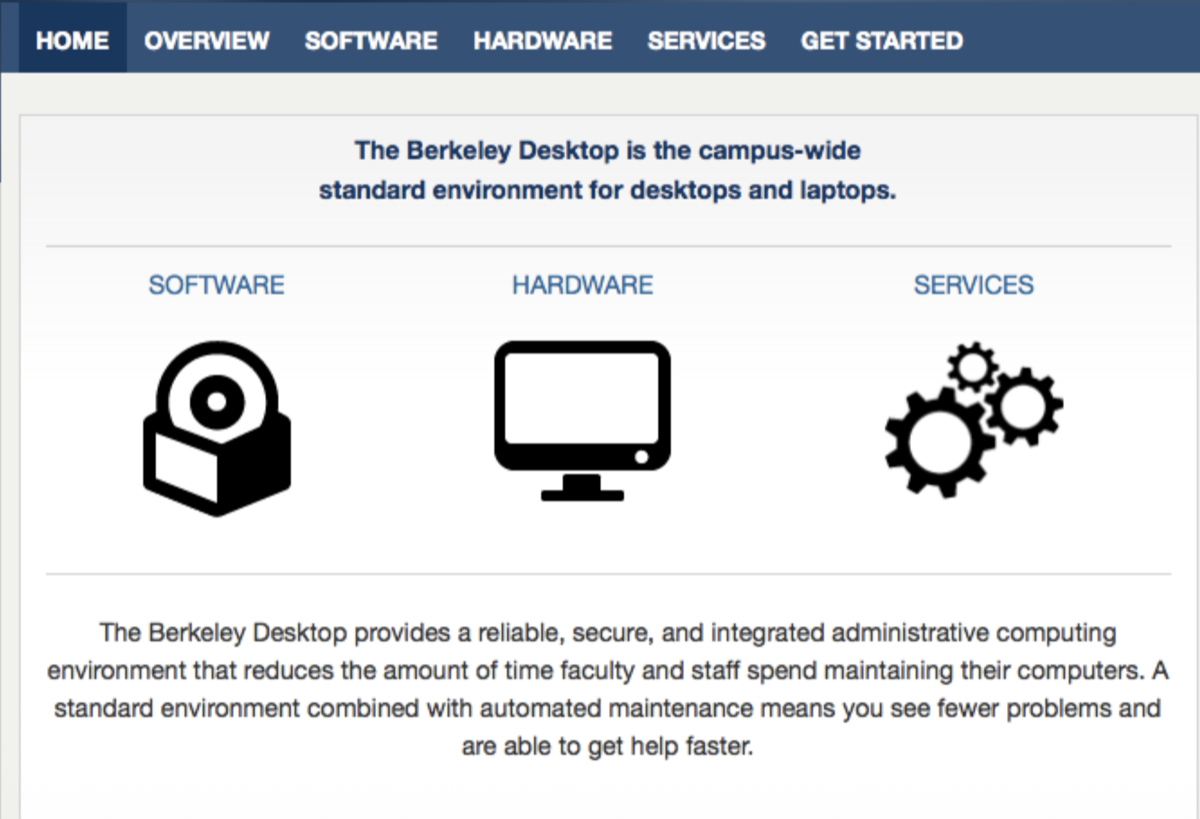
Berkeley Desktop service homepage — “the campus-wide standard environment for desktops and laptops” — with sections for Software, Hardware, and Services.

But that’s today…

Internet Archive Wayback Machine logo above an illustration of Mr. Peabody and Sherman at a time-machine console.

Let’s start at the beginning…

The Phoenix Project book cover (rebranded with the Cal logo) next to a photo of a giant inflatable Cal Bear collapsed on its side outside Memorial Stadium.

Fall 2011

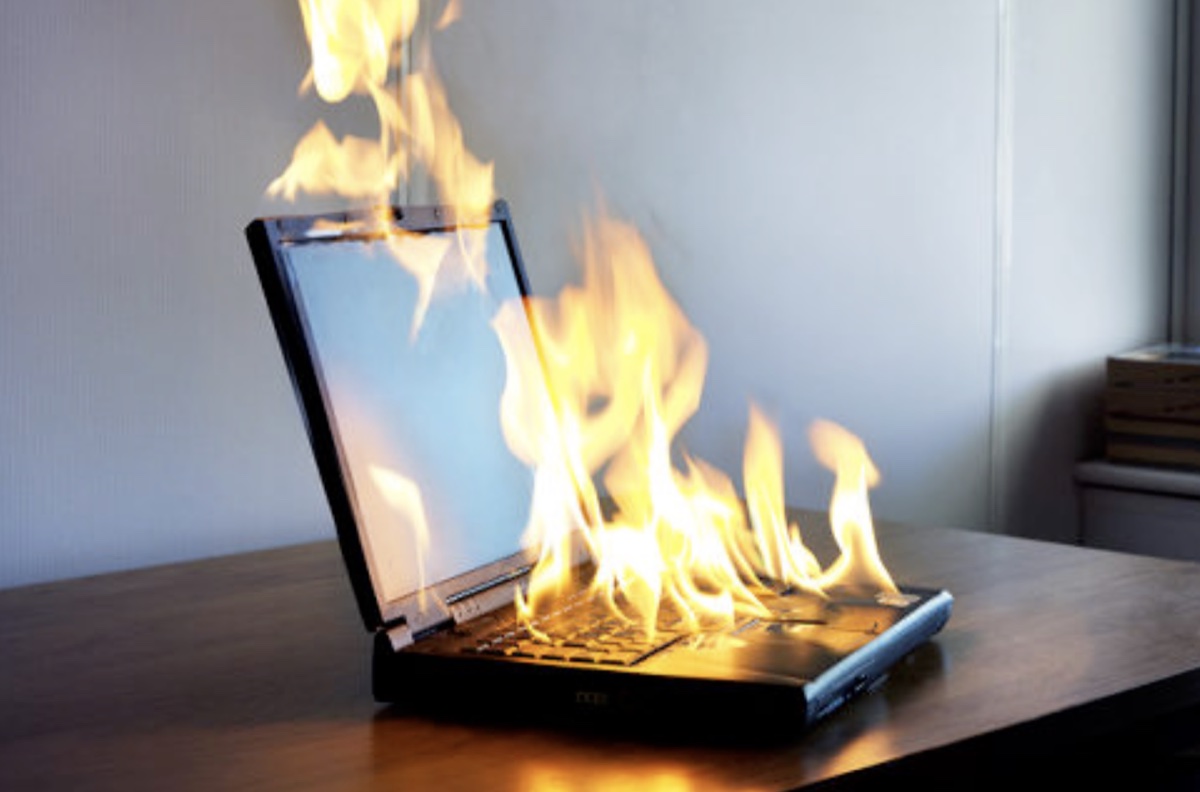
Photo of a laptop fully engulfed in flames on a desk.

OMG Version 0.1

  • Everything is broken or breaking all the time
  • No time for staff to work on solutions
  • “Owned” (compromised) machines
  • “Standard image” doesn’t work on laptops
  • “Standard image” too hard to change
  • “Standard image” BSODs because of new hardware, drivers
  • Laptop users told to buy a desktop with the “standard image” to RDP into

Disaster Girl meme: “Worked Fine in Dev / Ops Problem Now.”

The Problem

Imaging a machine circa 2011: 4 hours of senior tech time.

  • Varying hardware standards
  • No significant automation
  • Manual work; no checklists
  • Frontline support team includes senior techs
  • Frontline support diverts the Brents to support most important and/or loudest senior executives
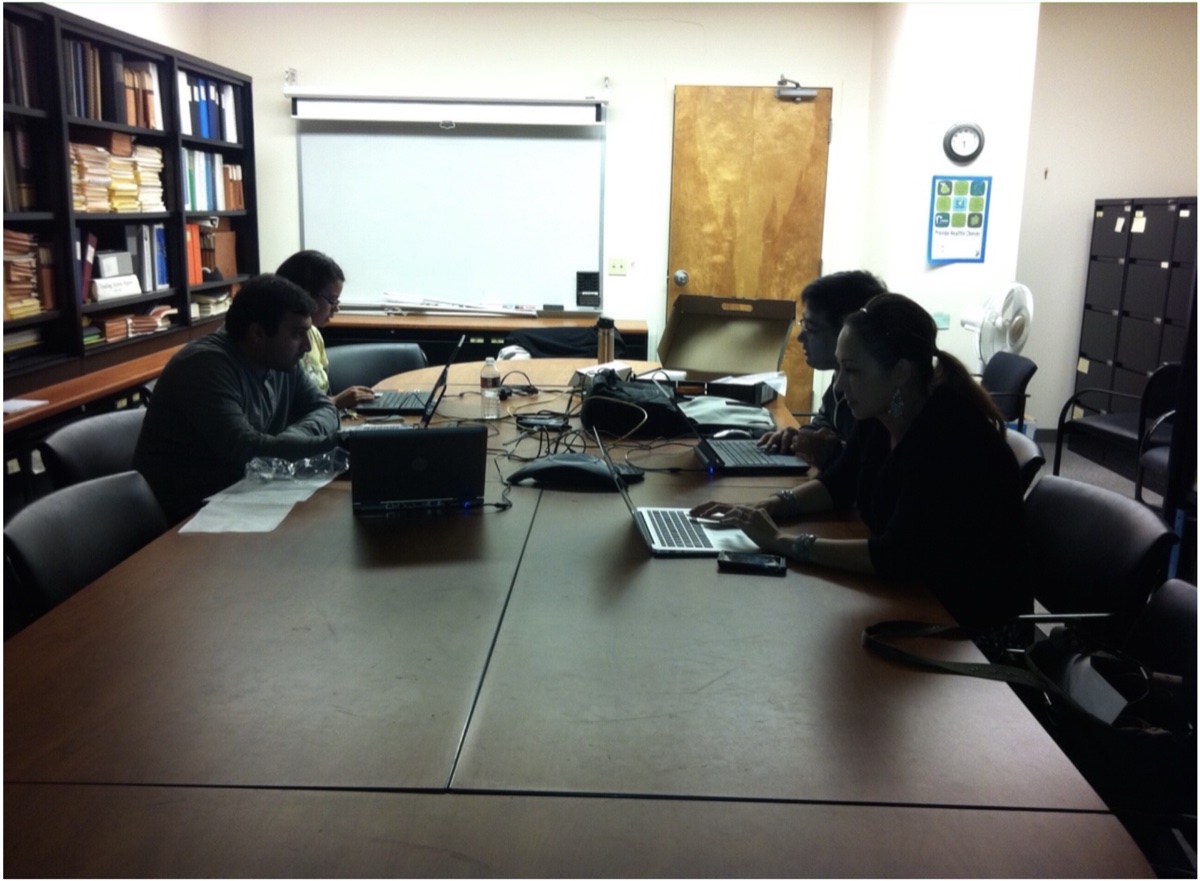
Conference room photo of team members hunched over laptops at a long table.

A Lego figure in a yellow hazmat suit looking alarmed.

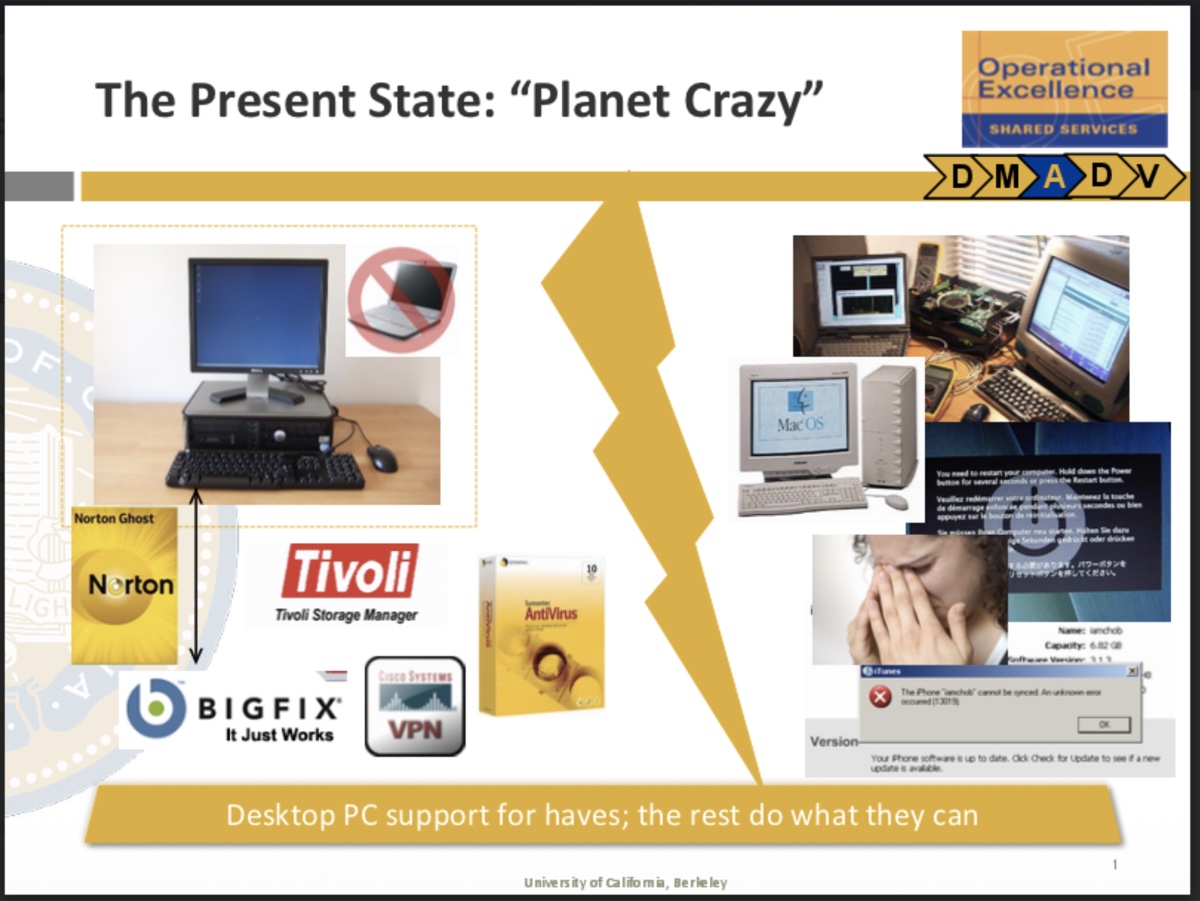
Slide titled “The Present State: Planet Crazy” with a collage of legacy desktop tools — Norton Ghost, Tivoli Storage Manager, Symantec AntiVirus, BIGFIX, Cisco VPN — alongside images of old Macs, error messages, and a frustrated user. Caption: “Desktop PC support for haves; the rest do what they can.”

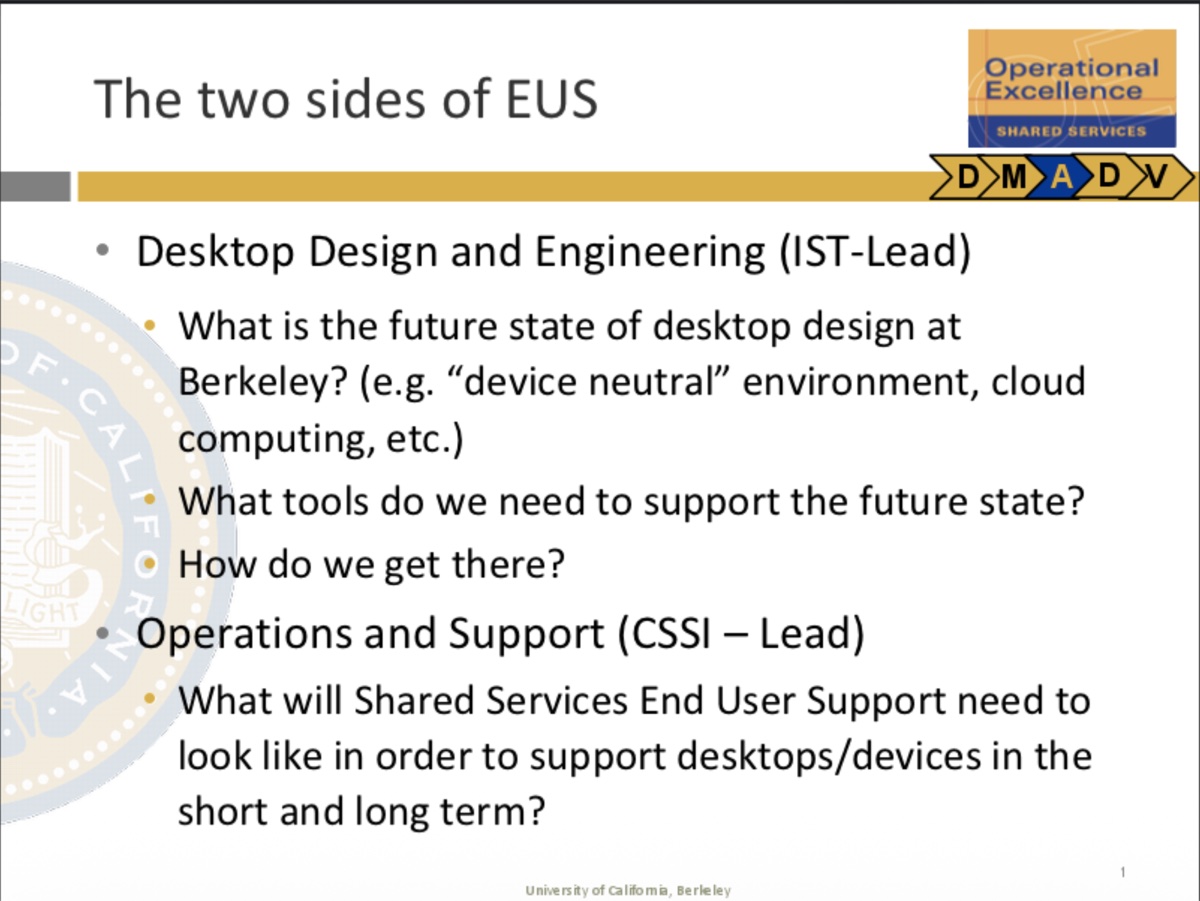
Slide “The two sides of EUS” — Desktop Design and Engineering (IST-Lead): future state, tools, how to get there. Operations and Support (CSSI-Lead): what Shared Services End User Support needs to look like.

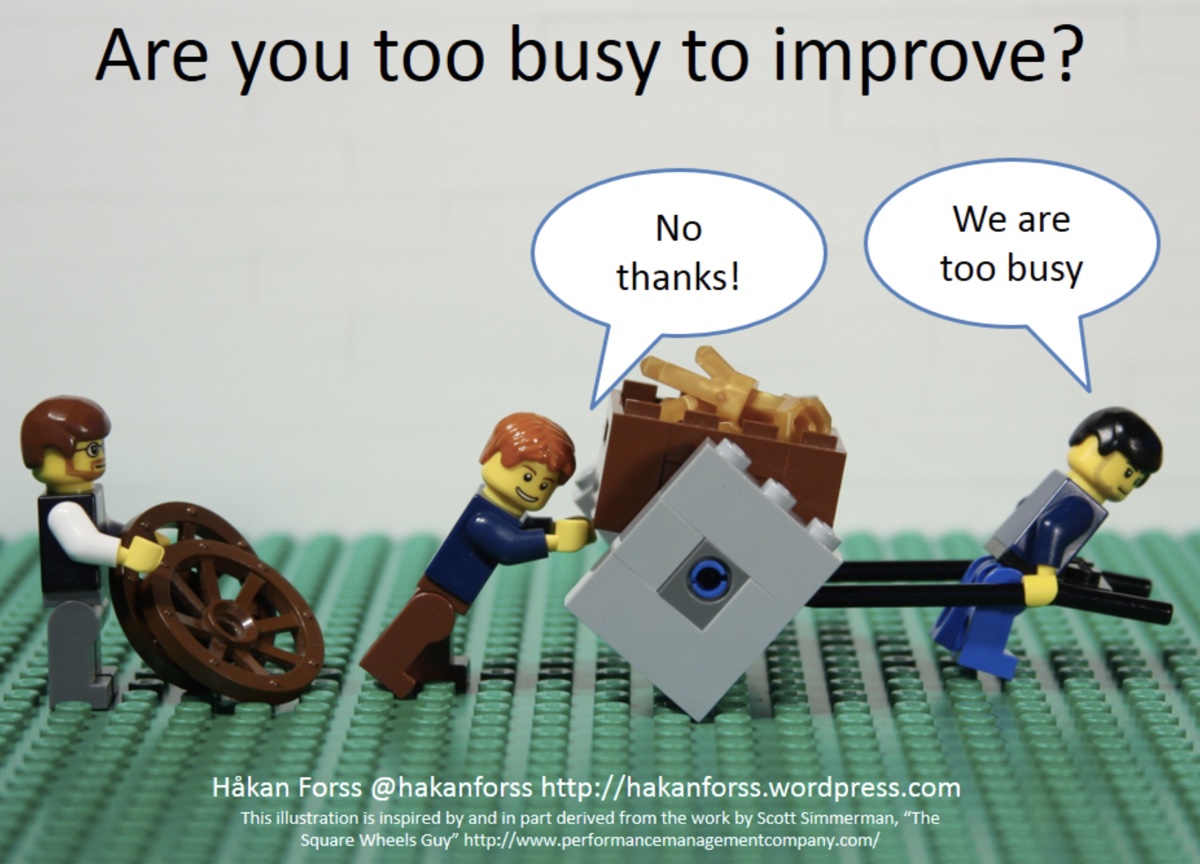
Lego scene meme: a tradesman pushing a cart with square wheels asks two figures dragging round wheels if they want to switch. They reply “No thanks!” and “We are too busy.” Caption: “Are you too busy to improve?”

Tackle the Things That Increase Costs

  • Labor
  • Productivity loss
  • Change
  • Variance

Finally… on the path to DevOps

  • Culture
  • Automation
  • Monitoring
  • Instrumentation
  • Reporting
  • Agile

Joint Administrative Computing Standard
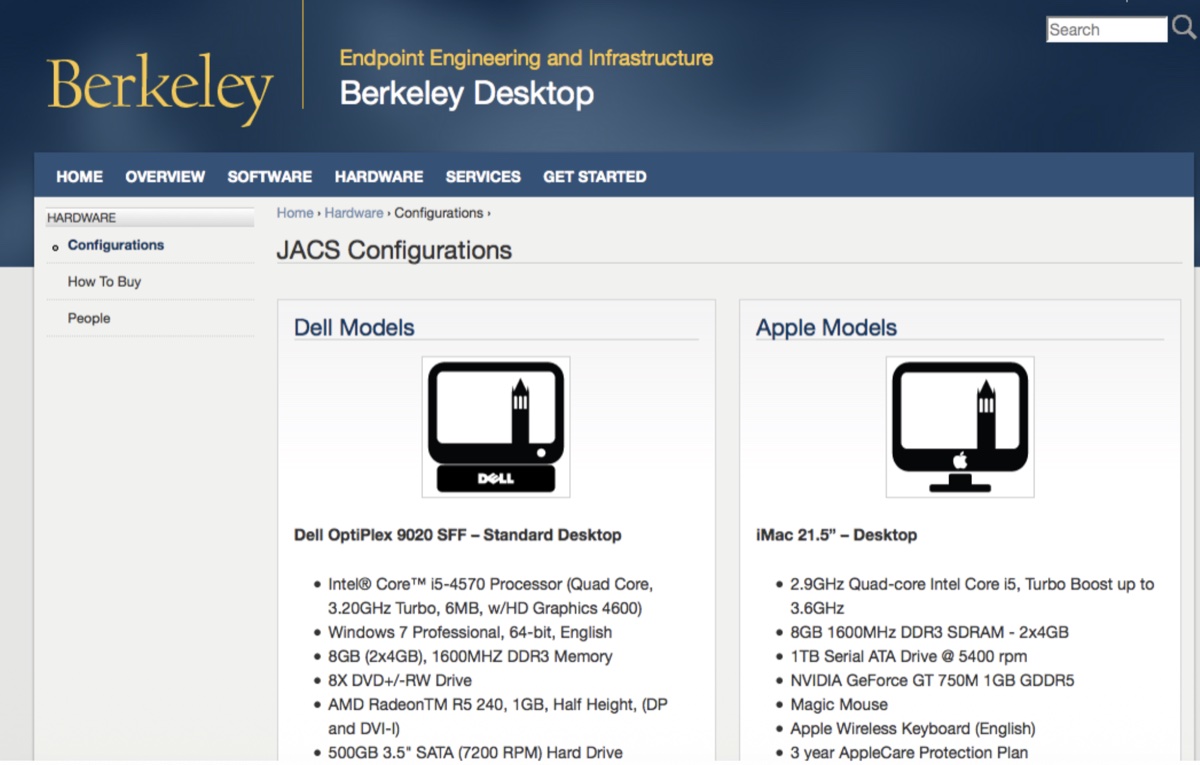
Berkeley Desktop JACS Configurations page showing Dell OptiPlex 9020 SFF and iMac 21.5" standard models with full hardware specs.

Reimaging a workstation — legacy process
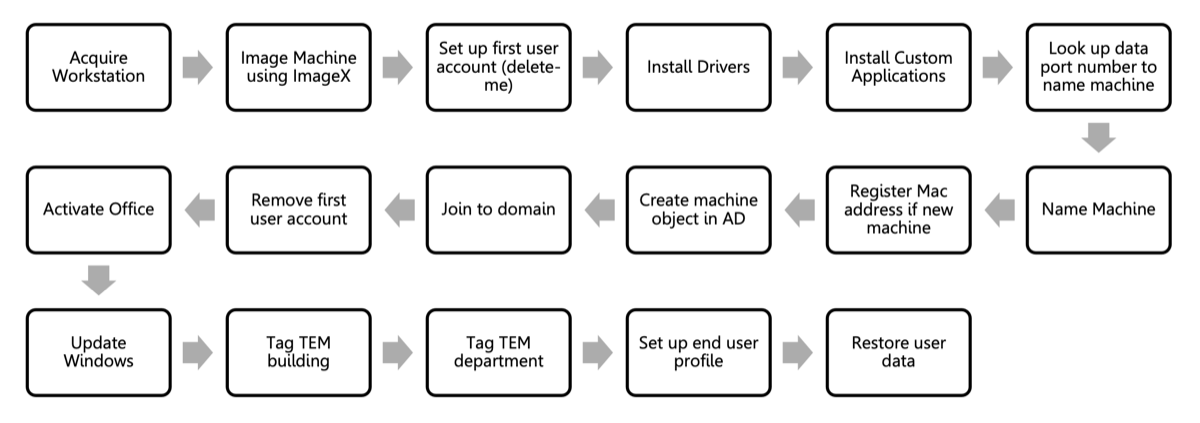
Flowchart of 17 sequential steps: Acquire Workstation → Image Machine using ImageX → Set up first user account (delete-me) → Install Drivers → Install Custom Applications → Look up data port number to name machine → Name Machine → Register Mac address if new machine → Create machine object in AD → Join to domain → Remove first user account → Activate Office → Update Windows → Tag TEM building → Tag TEM department → Set up end user profile → Restore user data.

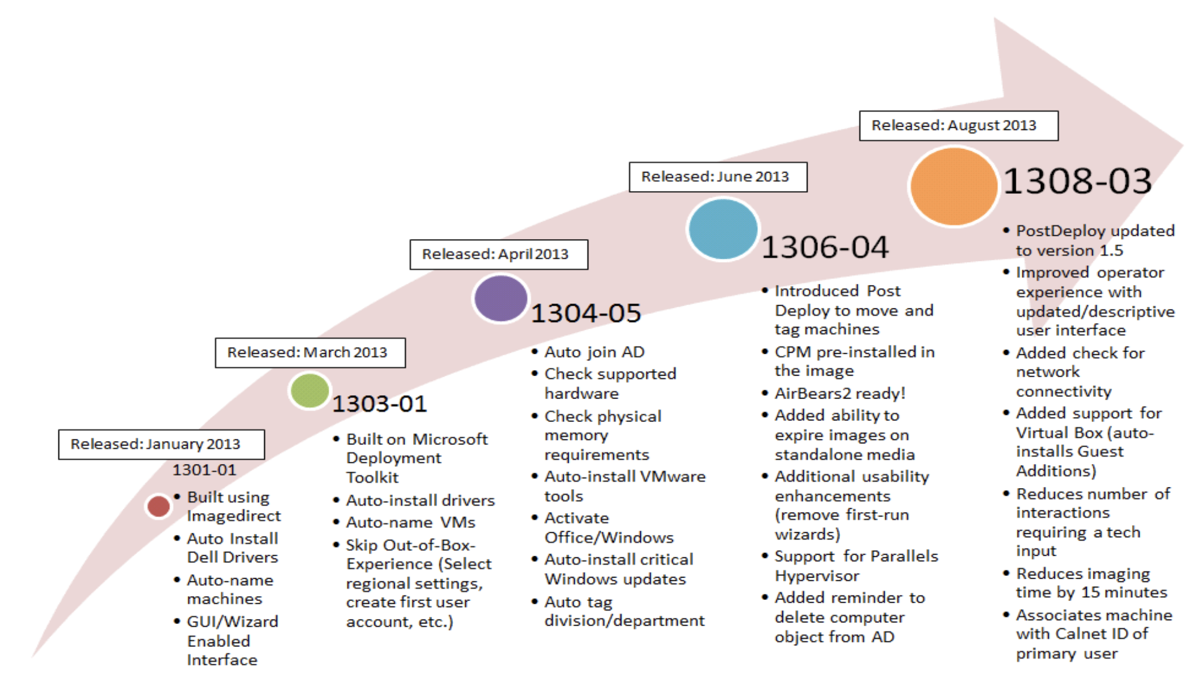
Release timeline slide: 1305-01 (May 2013) Built using Microsoft Deployment Toolkit, GUI/Wizard Enabled Interface; 1305-02 (Mar 2013) Auto-install Microsoft Apps and EEI custom apps via TEM offers; 1305-03 (Apr 2013) Auto-join AD, Check supported hardware automatically, Auto-install VMware Office/Windows; 1304-05 (Apr 2013) Auto-install Office and Windows updates via the image; 1306-04 (Jun 2013) CPM pre-installed in the image, Added auto-install ability to install monitoring, Additional usability improvements (remove first-run wizards), TEM tagged to right OUs and groups; 1308-03 (Aug 2013) PostDeploy updated by version 5.0 with improved user experience; updated/descriptive logging; Added support for locally-stored AD Joiner; Added auto-tagging interactions; deferred reboot and time-tracking with Calnet ID of users.

Reimaging a workstation — EEI process
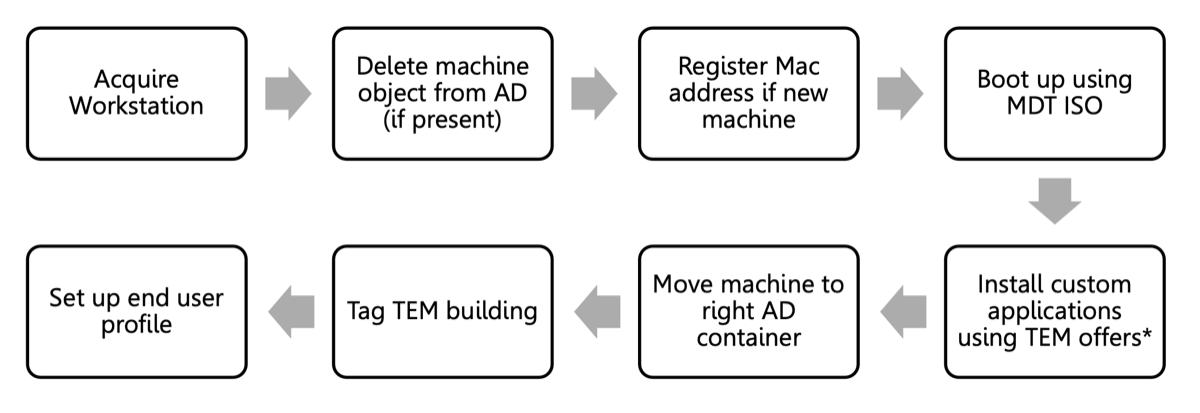
Flowchart of 8 streamlined steps: Acquire Workstation → Delete machine object from AD (if present) → Register Mac address if new machine → Boot up using MDT ISO → Install custom applications using TEM offers → Move machine to right AD container → Tag TEM building → Set up end user profile.

Microsoft Deployment Toolkit “Welcome” screen with a Berkeley EEI Imaging & Operating System Deployment header, showing pre-deployment checklist and a list of supported Dell Latitude/Optiplex models and hypervisors.

Workflow Automation Tools

X All The Y meme: stick figure shouting “AUTOMATE ALL THE THINGS.”

New Employee Workflow Automation

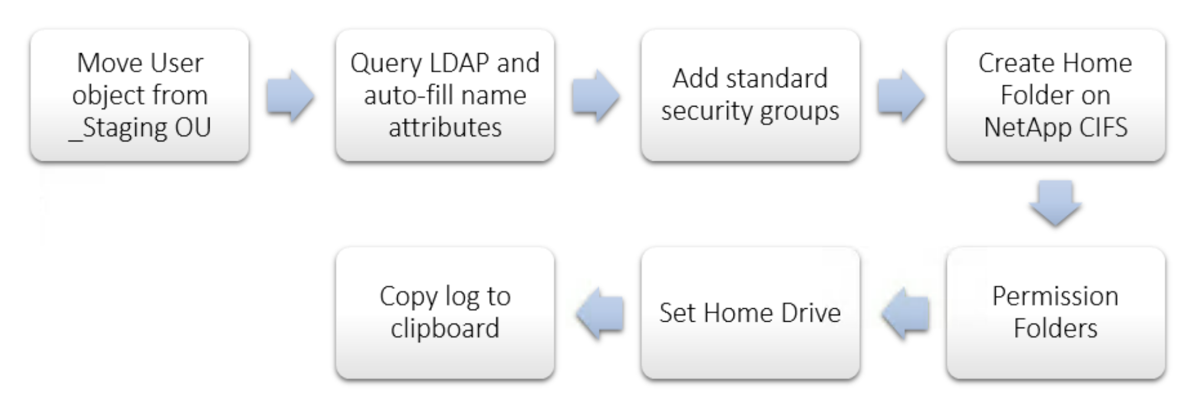
Flowchart: Move User object from _Staging OU → Query LDAP and auto-fill name attributes → Add standard security groups → Create Home Folder on NetApp CIFS → Permission Folders → Set Home Drive → Copy log to clipboard.

2014

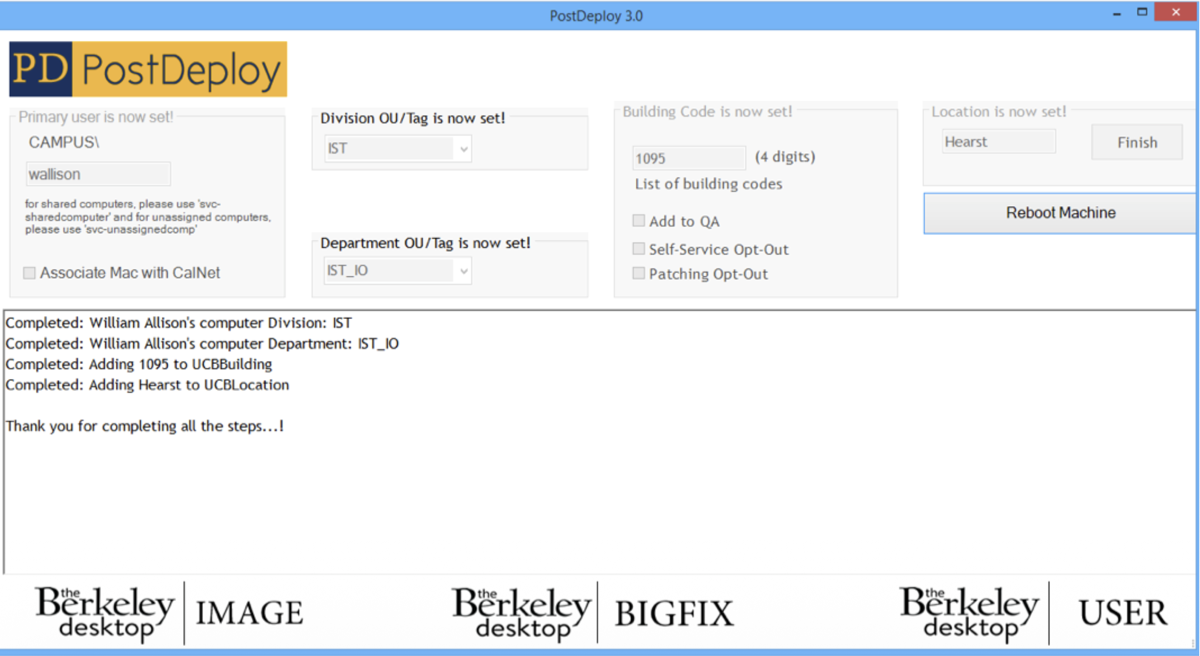
PostDeploy 3.0 application screenshot. Primary user, Division/OU tag, Department/OU tag, Building Code, and Location are set; status log shows “Completed: William Allison’s computer Division: IST,” “Completed: William Allison’s computer Department: IST_IO,” “Completed: Adding 1095 to UCBBuilding,” “Completed: Adding Hearst to UCBLocation. Thank you for completing all the steps…!” Footer logos: Berkeley desktop IMAGE, BIGFIX, USER.

Before PostDeploy

Active Directory listing of computer objects with inconsistent naming and sparse Description fields — names like u1918-406-3, G3V0GK1; descriptions ranging from full names (“Julia Dysart,” “Cindy Lambdin”) to “?????” to blank.

After PostDeploy

Active Directory listing of computer objects with consistent Description fields — every entry has username, OptiPlex model, project tag, and EEI build number (e.g., “ald, OptiPlex9020, pvt-dunlevy-da, EEI-764-1402-01”).

Self Service IT

Windows system tray showing icons for self-service applications (Bomgar, Splunk, etc.) above the customize panel and clock reading 9:54 AM 10/31/2013.

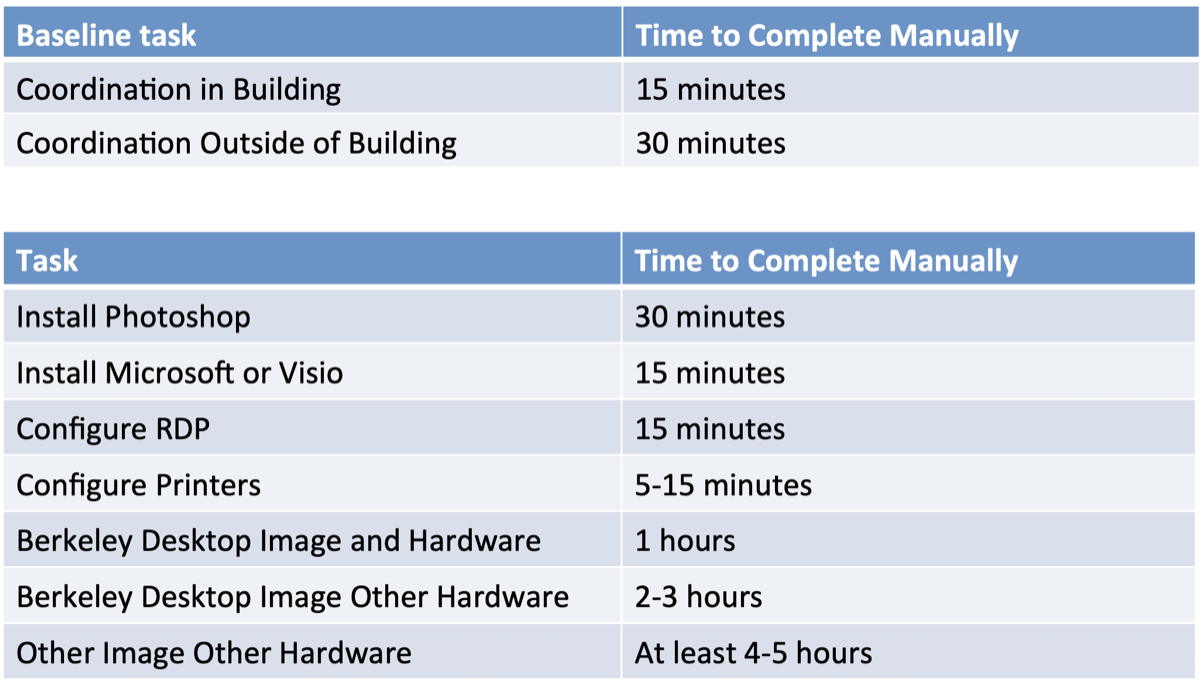
Time to Manually Complete Tasks

Two tables. Top — Baseline task / Time to Complete Manually: Coordination in Building 15 minutes; Coordination Outside of Building 30 minutes. Bottom — Task / Time to Complete Manually: Install Photoshop 30 minutes; Install Microsoft or Visio 15 minutes; Configure RDP 15 minutes; Configure Printers 5–15 minutes; Berkeley Desktop Image and Hardware 1 hour; Berkeley Desktop Image Other Hardware 2–3 hours; Other Image Other Hardware At least 4–5 hours.

2014 — Self-Service for Windows

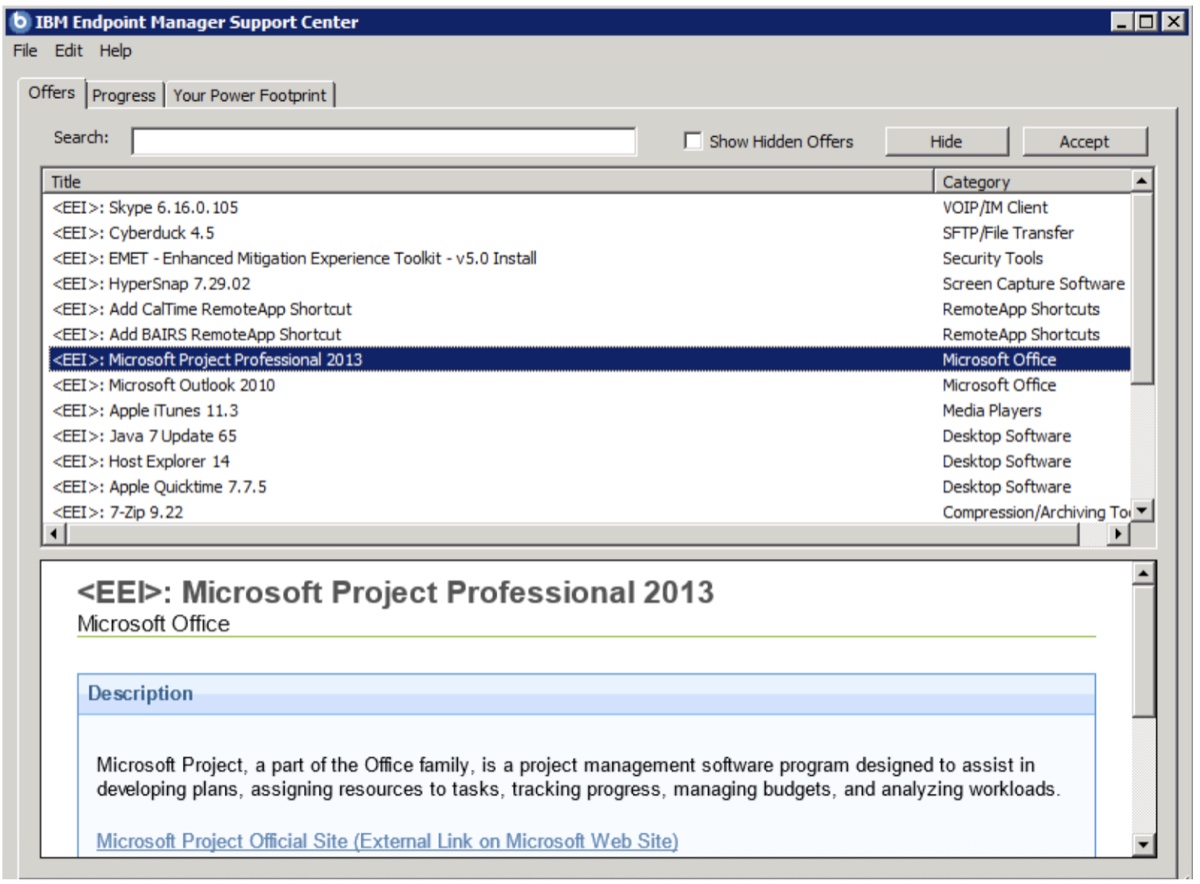
IBM Endpoint Manager Support Center screenshot listing self-service software offers: Skype, Cyberduck, EMET, HyperSnap, RemoteApp shortcuts, Microsoft Project Professional 2013 (selected), Outlook 2010, Apple iTunes, Java 7, Host Explorer, Apple Quicktime, 7-Zip. The lower pane shows the Microsoft Project Pro description.

EEI Remote Desktop Activation endpoint configuration dialog: “If you would like to configure your machine for RDP access, please accept this offer. It will enable Remote Desktop to your machine from off-campus via the Campus VPN.” Big red “easy” button to the right.

& a big win for CSS, Depts and campus

Time for self service? 1 minute, no ticket.

Flowchart: Add currently logged in user to RD Users Group → Capture user name, acceptance, email in registry → Enable RD Access with NLA → Open host firewall:3389 to Campus Subnets + VPN → Modify Power Settings to “Always On.”

Three money bags decreasing in size, dollar signs on each.

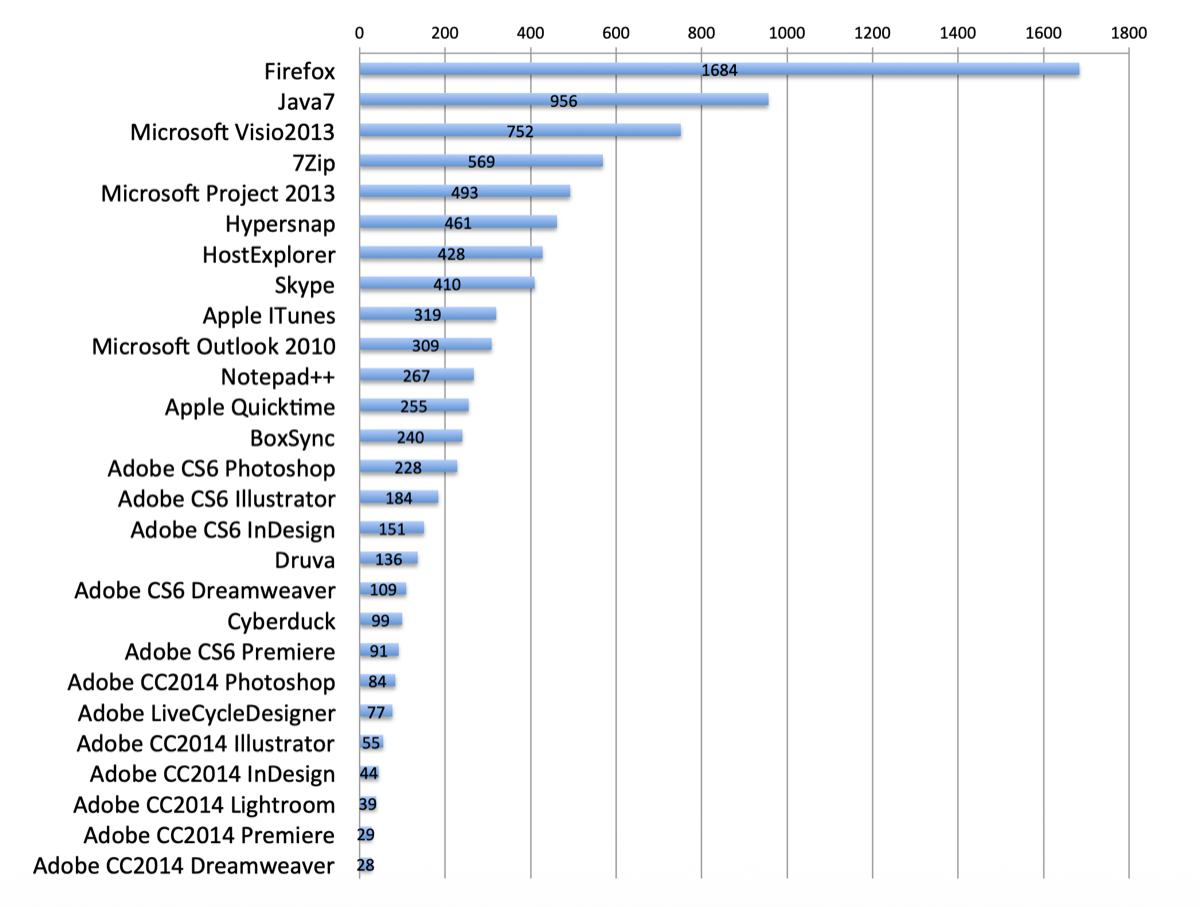
Software install counts

Horizontal bar chart of self-service install counts: Firefox 1684, Java7 956, Microsoft Visio 2013 752, 7Zip 569, Microsoft Project 2013 493, Hypersnap 461, HostExplorer 428, Skype 410, Apple iTunes 319, Microsoft Outlook 2010 309, Notepad++ 267, Apple Quicktime 255, BoxSync 240, Adobe CS6 Photoshop 228, Adobe CS6 Illustrator 184, Adobe CS6 InDesign 151, Druva 136, Adobe CS6 Dreamweaver 109, Cyberduck 99, Adobe CS6 Premiere 91, Adobe CC2014 Photoshop 84, Adobe LiveCycleDesigner 77, Adobe CC2014 Illustrator 55, Adobe CC2014 InDesign 44, Adobe CC2014 Lightroom 39, Adobe CC2014 Premiere 29, Adobe CC2014 Dreamweaver 28.

Device Types & OS Types

Type of Device / Total — Desktop 7959; Laptop 2737; Server 170; Virtual 385.

Type of OS / Total — Mac 1246; Windows 6333.

Numbers of Berkeley Desktops

Type of Berkeley Desktop / Total — All 4794; Berkeley Windows Desktops 4323; Berkeley Mac Desktops 470; Berkeley Windows 7 Desktops 4234; Berkeley Windows 8 Desktops 89; Berkeley Mac 10.9 Desktops 430.

Historical Growth of Devices

Period of Time / Total — Last 24 Hours 69; Last 1 Week 244; Last 2 Weeks 363; Last 1 Month 723; Last 2 Months 1656; Last 3 Months 3223; Last 6 Months 4511; Last 1 Year 7525; Since TEM Went Into Production 10854.

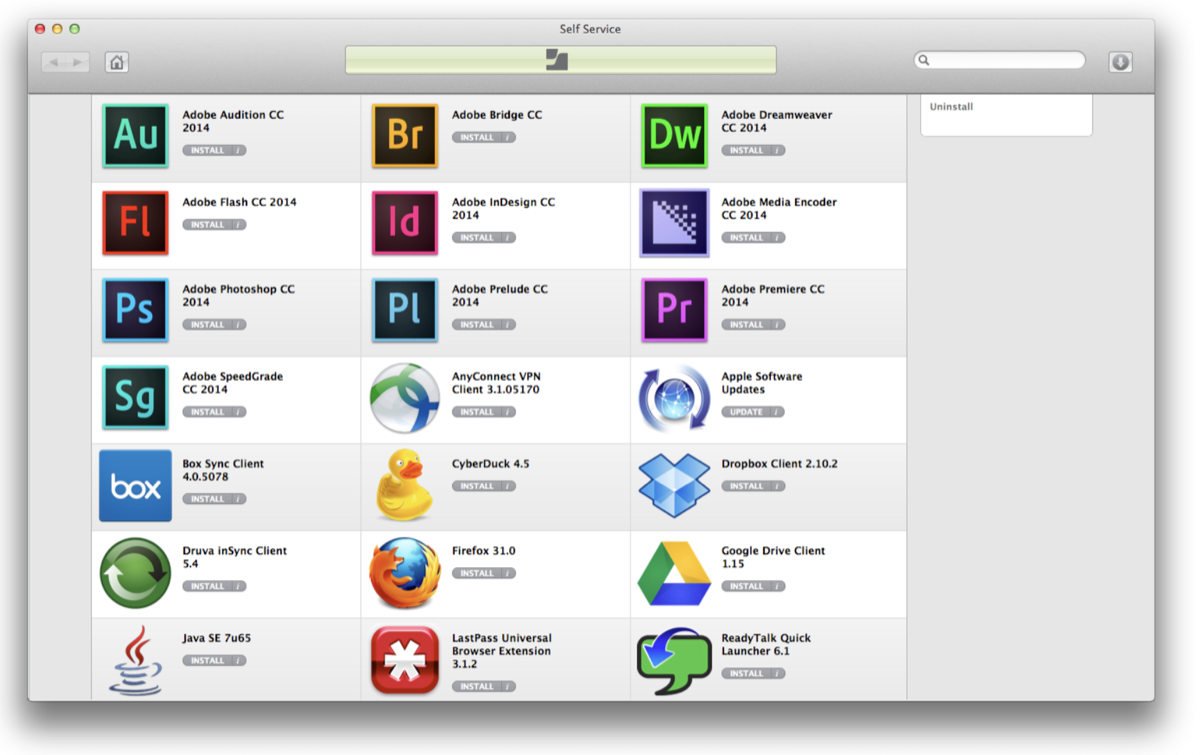
Self-Service for OS X

macOS Self Service window populated with installable Adobe CC 2014 apps (Audition, Bridge, Dreamweaver, Flash, InDesign, Media Encoder, Photoshop, Prelude, Premiere, SpeedGrade) plus AnyConnect VPN, Apple Software Updates, Box Sync, Cyberduck, Dropbox, Druva inSync, Firefox, Google Drive, Java SE 7u65, LastPass, ReadyTalk Quick Launcher.

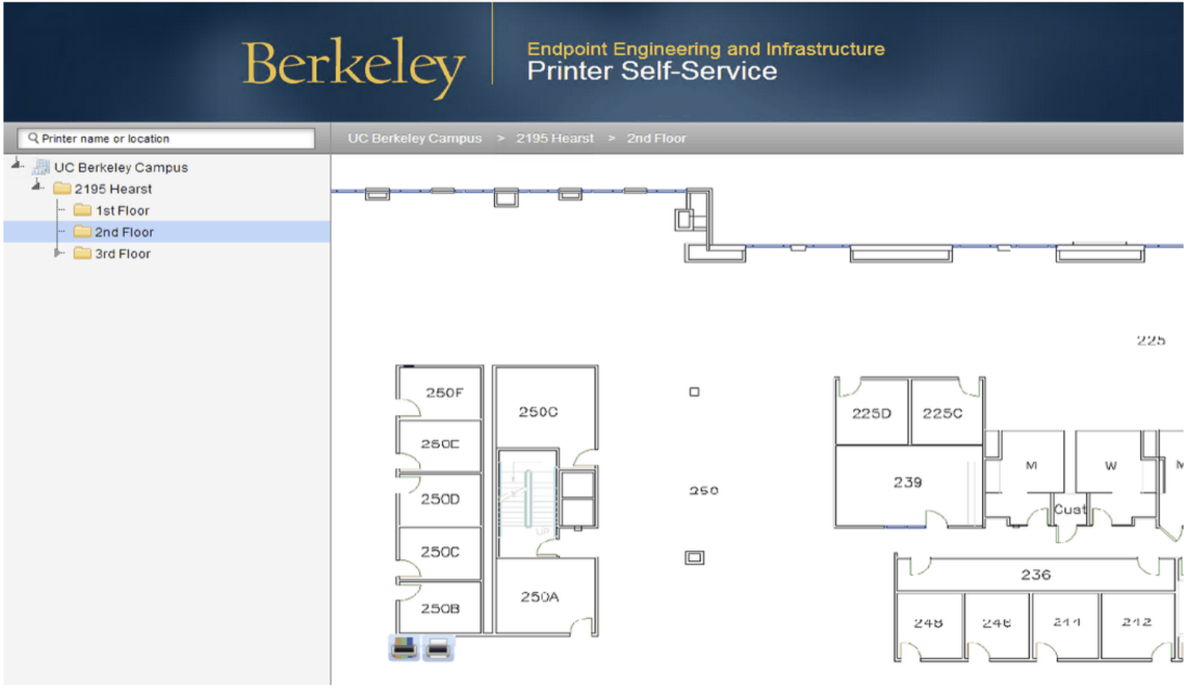
Coming soon…

Berkeley Desktop Printer Self-Service portal: a navigable building/floor tree (UC Berkeley Campus → 2195 Hearst → 2nd Floor) over a floor plan with room numbers visible.

Inventory

Pie chart “Warranty Status Breakdown” of 4672 EEI Dell devices: Active 2465 (52.8%), Expired 1598 (34.2%), Future 533 (11.4%), Other 76 (1.6%).

Pie chart “Apple Warranty” of 740 devices: AppleCare Repair Agreement 414 (55.9%), Out of Coverage 303 (40.9%), Other 23 (3.1%).

More Technical Components

  • Zabbix
  • Splunk
  • Powershell / Sapien
  • GitHub
  • Vagrant
  • Docker
  • Jenkins CI
  • HA-Proxy
  • Idonethis.com

Bomgar

Berkeley EEI Remote Desktop Support Portal: Representatives panel, Session Key submission form, and Issue Submission form (issue, name, company, description). “Powered by Bomgar — Secure Remote Support for the Help Desk.”

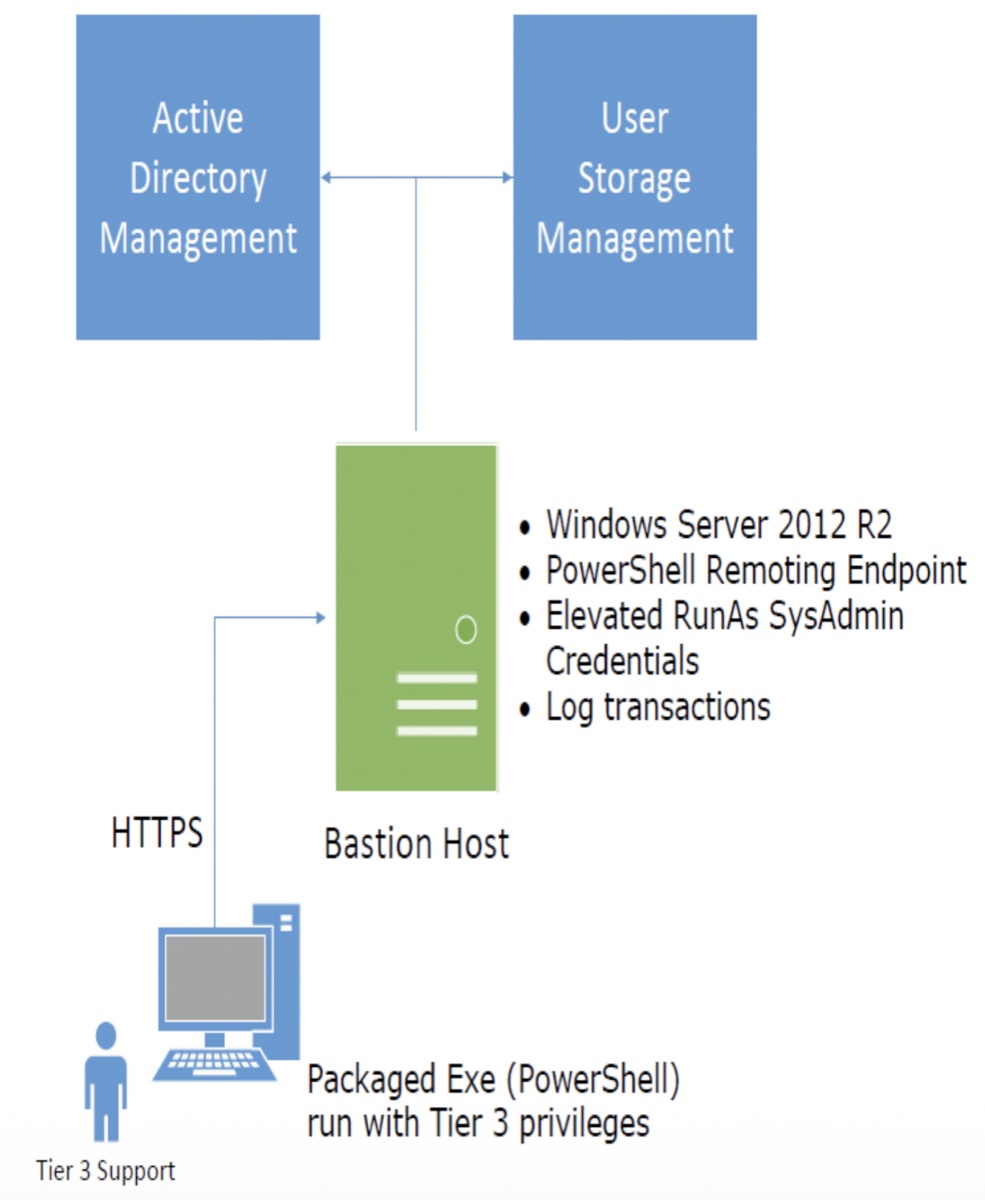
Architecture diagram: Active Directory Management and User Storage Management at top, both connecting to a green Bastion Host (Windows Server 2012 R2, PowerShell Remoting Endpoint, Elevated RunAs SysAdmin Credentials, Log transactions). A Tier 3 Support technician at the bottom runs a packaged PowerShell exe over HTTPS to the bastion.

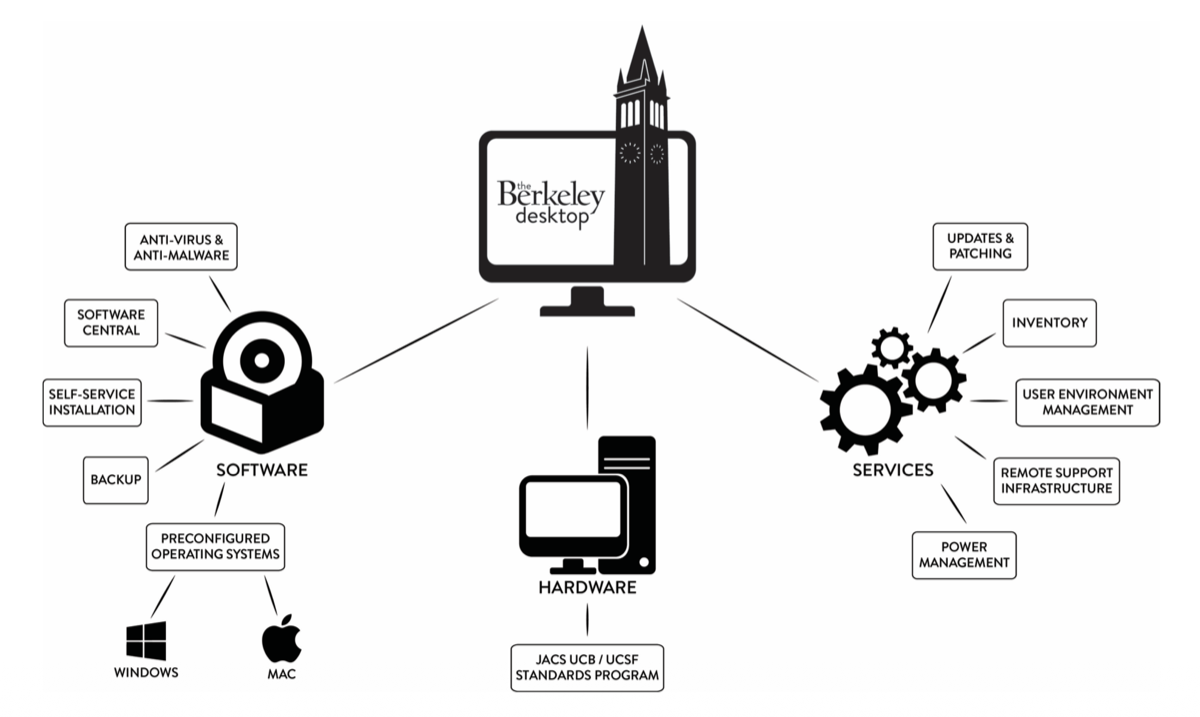
The Berkeley Desktop Ecosystem

Diagram with the Berkeley Desktop at the center, branching to Software (Anti-virus & Anti-malware, Software Central, Self-service Installation, Backup, Preconfigured Operating Systems — Windows, Mac), Hardware (JACS UCB / UCSF Standards Program), and Services (Updates & Patching, Inventory, User Environment Management, Remote Support Infrastructure, Power Management).

Email to: wallison@berkeley.edu

Office Space Bill Lumbergh meme: “If you ask me questions, that’d be great.”

Original slide deck (PDF)